
Invoices for iPhone
See what you're owed
Make an invoice, send it, see when it's paid. In your currency, with your tax, and stored on your phone.
Free to download. Make and preview invoices for free, then subscribe to issue them.
How it works
Make it. Send it. Get paid.
Every invoice moves through the same few steps, and Home always shows the ones that need you.
-
01
Make it
Pick a client and add the work. ktak adds up tax and totals to the exact cent and shows you the PDF before you issue it.
-
02
Send it
Share the PDF by email, message or any app you like. When you come back, ktak asks if it was sent and records the date.
-
03
Get paid
Overdue invoices move to the top of Home. Mark one as paid when the money arrives, and ktak keeps the date it was paid.
Stages
Know where every invoice stands
Each invoice shows its stage. Due soon and Overdue are worked out from the due date, so you never have to update them.
- Once you issue an invoice, it's final. To correct one, ktak creates a full credit note linked to the original, and you start a replacement. Your records stay valid for tax.
- Sent and paid are notes with a date. Marking an invoice sent or paid records the date only. It never changes the PDF your client already has.
- Reminders if you want them. A notification on your phone the morning after an invoice goes overdue. They go to you, never to your client.
- Numbers only go forward. Choose your prefix and starting number. You can skip ahead, but a number is never reused.
Your PDFs
Invoices that look like your business
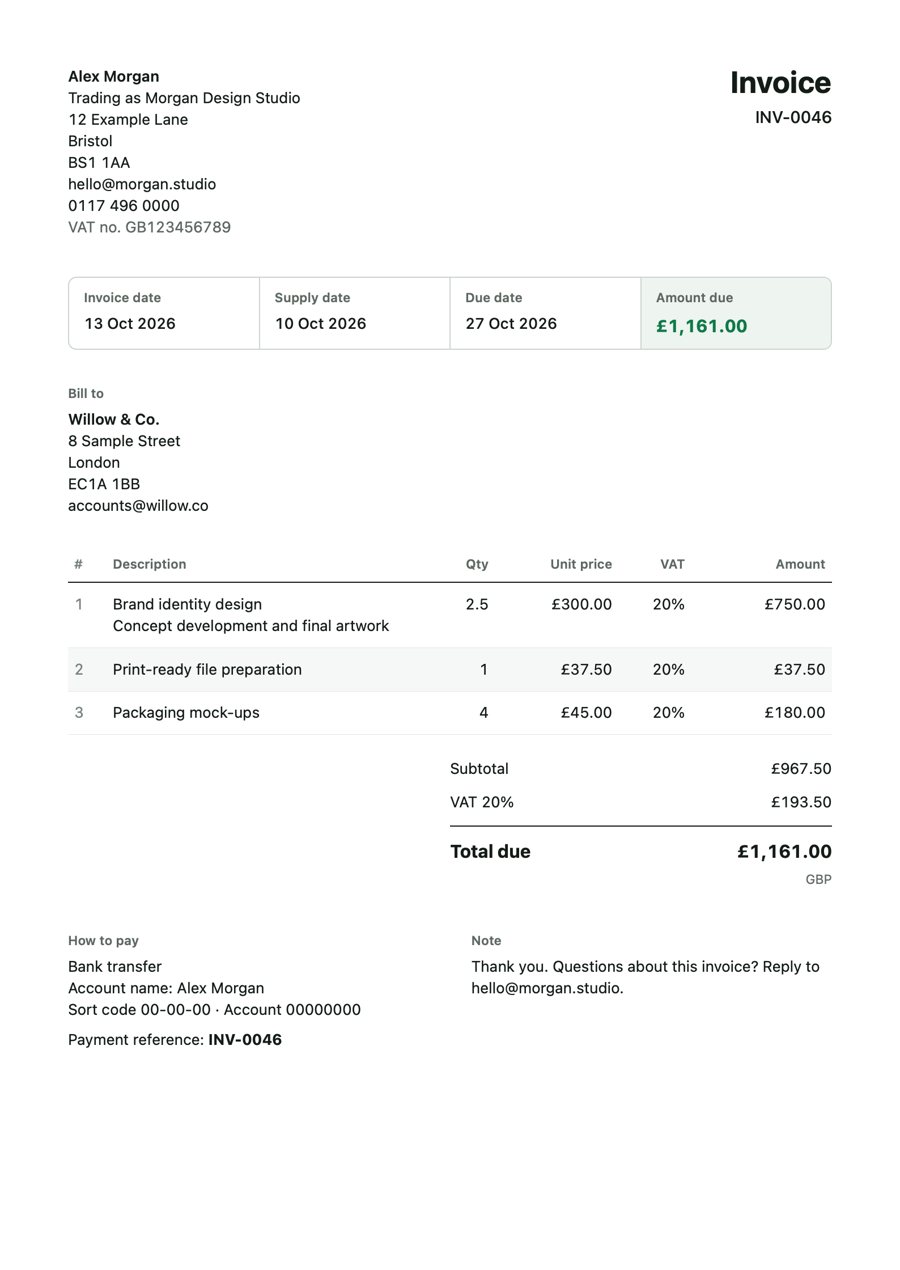
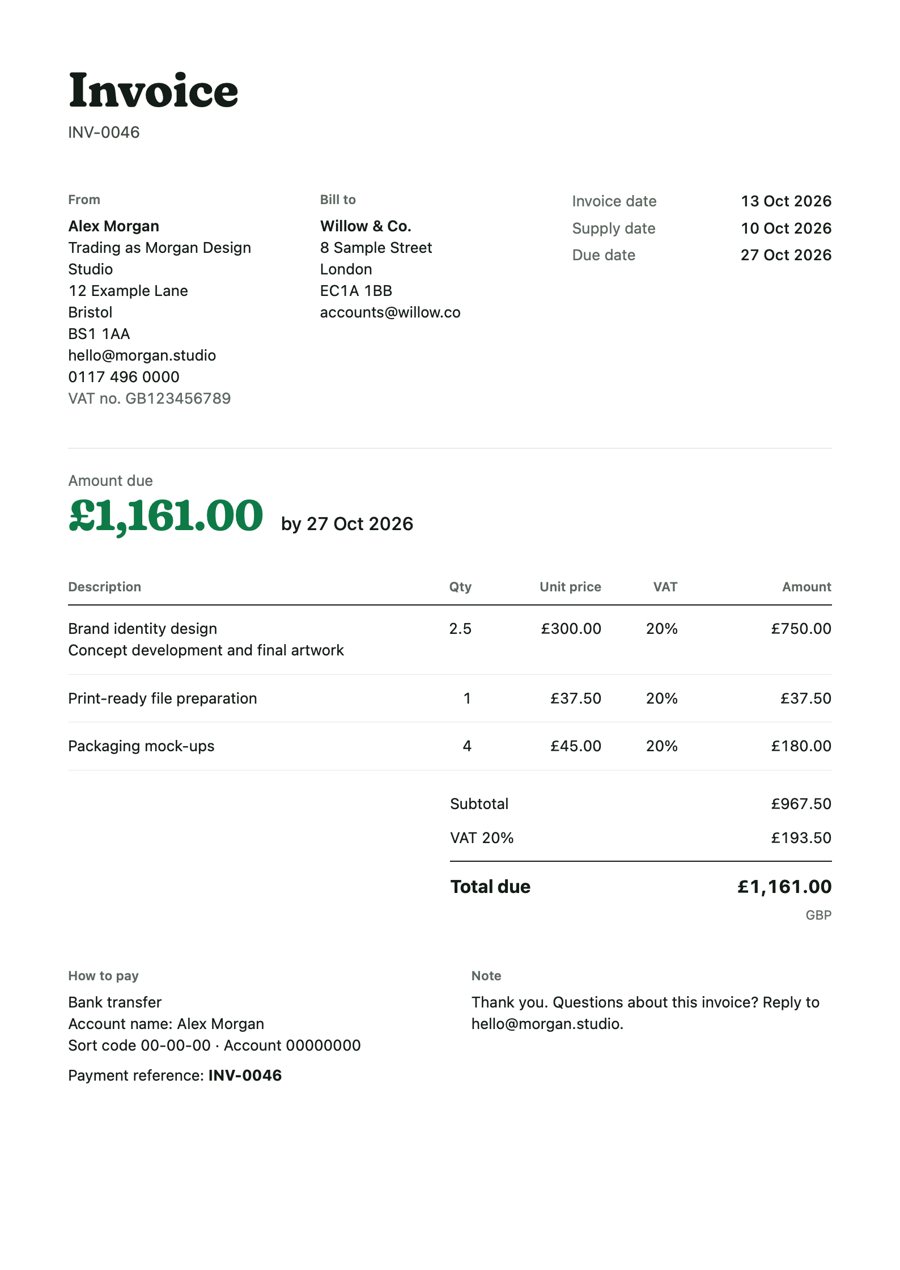
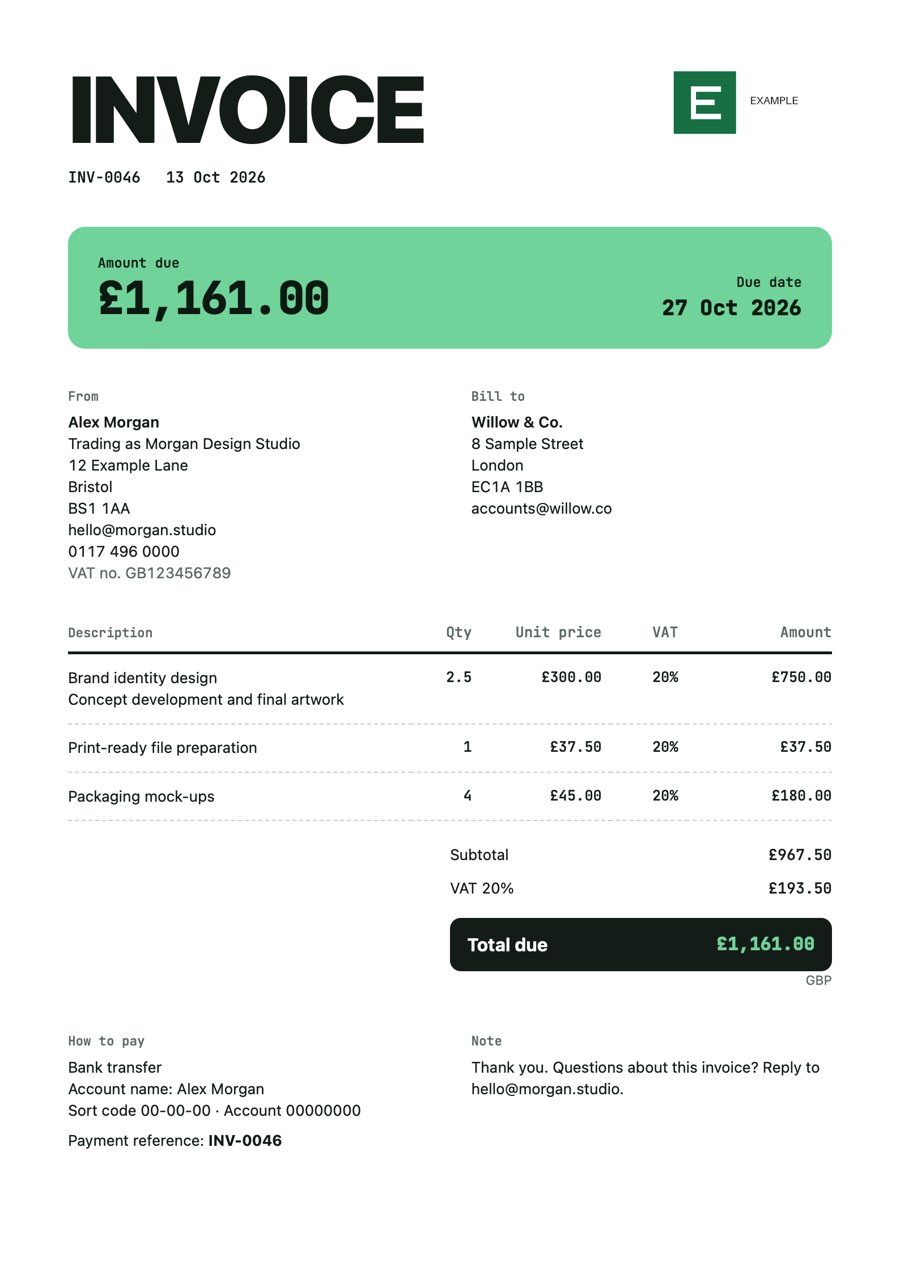
Six templates: Paper, Plain, Ledger, Bold, Letter and Poster. Your logo goes at the top, and every page prints cleanly on A4 or US Letter.
- The PDF in your client's language. The app is in English. Each client's PDF can be in English, German, French, Spanish, Italian, Dutch, Portuguese, Japanese, Chinese (Simplified), Russian or Armenian.
- Your details, printed right. Tax ID, supply date, how to pay you and a payment reference, where your country expects them.
- A small "made with ktak" line. It goes at the foot of each PDF. Turn it off in Profile under Documents.
Made for your country
Your currency. Your tax. Your rules.
Tell ktak where your business is based. It sets your currency, tax and paper size, and you can change each one later.
136 countries ready to go
Presets for the tax name, rates, tax ID label and paper size. Anywhere else, set up your own.
Exact amounts, never converted
Choose a default currency and change it for any single invoice. Amounts are exact to the currency's smallest unit, and ktak never converts between currencies.
One tax per line
Pick a rate for each item, or mark it zero-rated or exempt. Rates you change stay as they were on invoices you've already issued.
Clients in one place
Save each client's address, tax ID and PDF language once. See what each one owes you at a glance.
Backups you control
Export one file with every invoice, client and PDF to Files or iCloud Drive. ktak also keeps daily recovery copies on your phone.
No account to create
Nothing to sign up for. Your invoices and clients are stored on your phone, not on our servers.
Where the law requires e-invoices, for example through Peppol, KSeF or SDI, ktak tells you during setup. ktak makes PDF invoices and doesn't submit them to those systems, so check with your accountant whether a PDF is enough for you.
Pricing
Free to try. Subscribe to issue.
Set up your business, add clients, make drafts and preview every PDF for free. Subscribe monthly or yearly when you're ready to issue.
The App Store shows the price for your country before you confirm. Subscriptions renew until you cancel in your Apple Account settings.
- Issue unlimited invoicesIssue and share as many invoices as you need.
- Track every invoiceSee what's sent, overdue and paid, with reminders.
- Keep what you've issuedIf you stop, every invoice you've issued stays yours to share and track, and credit notes still work.
Privacy
Your invoices stay yours
On your phone
Clients, amounts and PDFs are stored on your phone. We never receive them.
Analytics off by default
You can share anonymous usage to help improve ktak. It never includes clients, amounts or invoice contents.
No ads, no tracking
No advertising, no tracking across apps, and we never sell your information.

Your next invoice, sorted
Download ktak and set up your business in a couple of minutes.
Get ktak on the App Store